


Testing Services
Rescheduling Exams
To request an exam reschedule, complete the Exam Rescheduling Form. Your request will be reviewed by your college dean or designee. Reschedule opportunities are not guaranteed, and requests may be denied. If approved, you’ll receive your assigned testing date via email.
For approved conferences or religious holidays: Complete the Student Absence Form in accordance with your college. If you’ll also miss an exam, submit both the Student Absence Form and Exam Rescheduling Form. The absence form alone does not initiate an exam reschedule.

Supporting fair and secure assessments
Testing Services helps ensure exams are administered securely, consistently, and with integrity. We work closely with faculty and academic programs to support reliable assessment practices and a fair testing environment for all students.

Supporting students with accommodations
Testing Services provides exam administration support for students with approved testing accommodations. We work with students and campus partners to help ensure accommodations are implemented consistently and exams are completed in an appropriate testing environment.
Testing platforms at NEOMED
ExamSoft
ExamSoft is a secure assessment platform used by NEOMED to administer computer-based exams. Through the Examplify application, students download, complete, and submit exams securely using their personal devices. Students can view their Strengths and Opportunities (S&O) Reports with the ExamSoft site after the completion of an exam and release of scores.
NBME
National Board of Medical Examiners (NBME) develops customized and standardized assessments used by medical schools to evaluate students’ knowledge and understanding across a variety of subjects. NEOMED utilizes NBME examinations as part of its medical education and assessment processes in the College of Medicine.
Gradescope
Gradescope is an online assessment and grading platform used by NEOMED to review and grade lab practical examinations. It is currently used, in conjunction with faculty grading, for lab practical exams in both the College of Medicine and Bitonte College of Dentistry.
Providing an exceptional student experience
“As Assistant Director of Testing Services, I believe effective assessment administration is built on collaboration, consistency, and continuous improvement. Our team partners with academic programs across the university to deliver efficient exam processes, maintain the integrity of assessments, and provide timely results that support institutional and student success.”
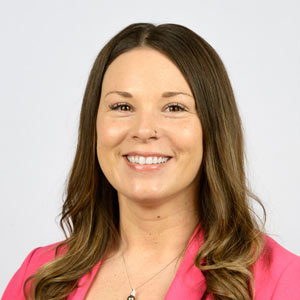
Jessica Hartman
Assistant Director, Testing Services
E: [email protected]
P: 330-325-6811
How can we help?
(The office is non-operational during periods when the university is closed) P: 330-325-6410
E: [email protected] Located in Suite A-255
(Near Psychiatry)
 Jessica Hartman
Assistant Director, Testing Services
 Tami Lang
Educational Data Coordinator
 Colleen Pearson
 Testing Coordinator
 Gabrial Perez
Testing Assistant
lllllll
- Log in to ExamSoft
Go to the ExamSoft Student/Exam Taker Portal — this is separate from Examplify. Select NEOMED as your institution and sign in using your NEOMED credentials. - Select Your Course
Select the Courses tab and choose the course associated with the assessment you want to review. - Select the Completed Exam
Open the Completed or Past Assessments section and select the appropriate assessment. - View Your Report
Select View Results, Report, or Strengths & Opportunities (S&O) Report. Depending on the assessment, your report may include:- Overall score
- Performance by content area or topic
- Areas of strength and opportunities for improvement
- Additional faculty feedback, when applicable
- Save Your Report (Optional)
Reports may be downloaded or printed for your personal academic records and study planning.
- Restart your computer completely and ensure all background applications are closed.
- Disable/quit cloud services (Dropbox, Google Drive), messaging apps, screen capture tools, and any background recording or video chat software (like Zoom, Teams, or Panopto).
- Turn off Bluetooth on laptops to prevent interference.
- Go to NBME Exam Portal in your web browser.
- Follow the on-screen instructions to download and run the Secure Browser.
- Select the Workstation Certification icon within the application.
- Click on the Examinee Personal Laptop Certification link.
- Allow the utility to test your device for web-based testing compatibility.
- If successful, you will be prompted to launch a sample exam as the final step to confirm everything works.
- Press Ctrl + Shift + Q (Windows) or Cmd + Shift + Q (Mac) to exit the secure screen when finished or continue through the exam.
- Check-in begins: 20 minutes before the scheduled exam start time.
- Doors close: 5 minutes before the scheduled exam start time.
- By the time the doors close, students must be checked in, logged into the testing platform, and seated with all required materials ready.
- Students arriving after the doors have closed will not be permitted to test.
- Laptop
- Privacy screen
- Cell phone — bring your phone for ExamSoft authentication, but do not bring it into the testing room
- NEOMED ID and keys
- Earplugs (foam or Loop-style)
- Laptop stand
- USB/wired mouse
- Charging cord
- NEOMED ID — 5 digits only; do not include “@000”
- No food or drinks
- No large coats or hats (religious headwear is permitted)
- No writing utensils — green boards and markers will be provided
- Microsoft Authentication must be set up in advance
- Phone or passkey authentication is required
- Food and drinks are permitted
- Writing utensils are permitted
- Cell phones
- May be needed for Microsoft Authentication
- Do NOT bring your phone to your seat
- Tablets
- Smart watches
- Any standard watches
- Smart glasses
- Earbuds
- Headphones
- Smart rings
- Any device with Bluetooth capability
- Bookbags/purses
- Laptop cases or bags
- Privacy screen sleeves
- Calculators
- Notebooks or notes
- Mousepads
- This list is not all-inclusive. If an item is not listed, do not assume it is permitted.
- Please check with Testing Services staff before bringing an item into the Testing Room.
- NEOMED is not responsible for items left unattended.