


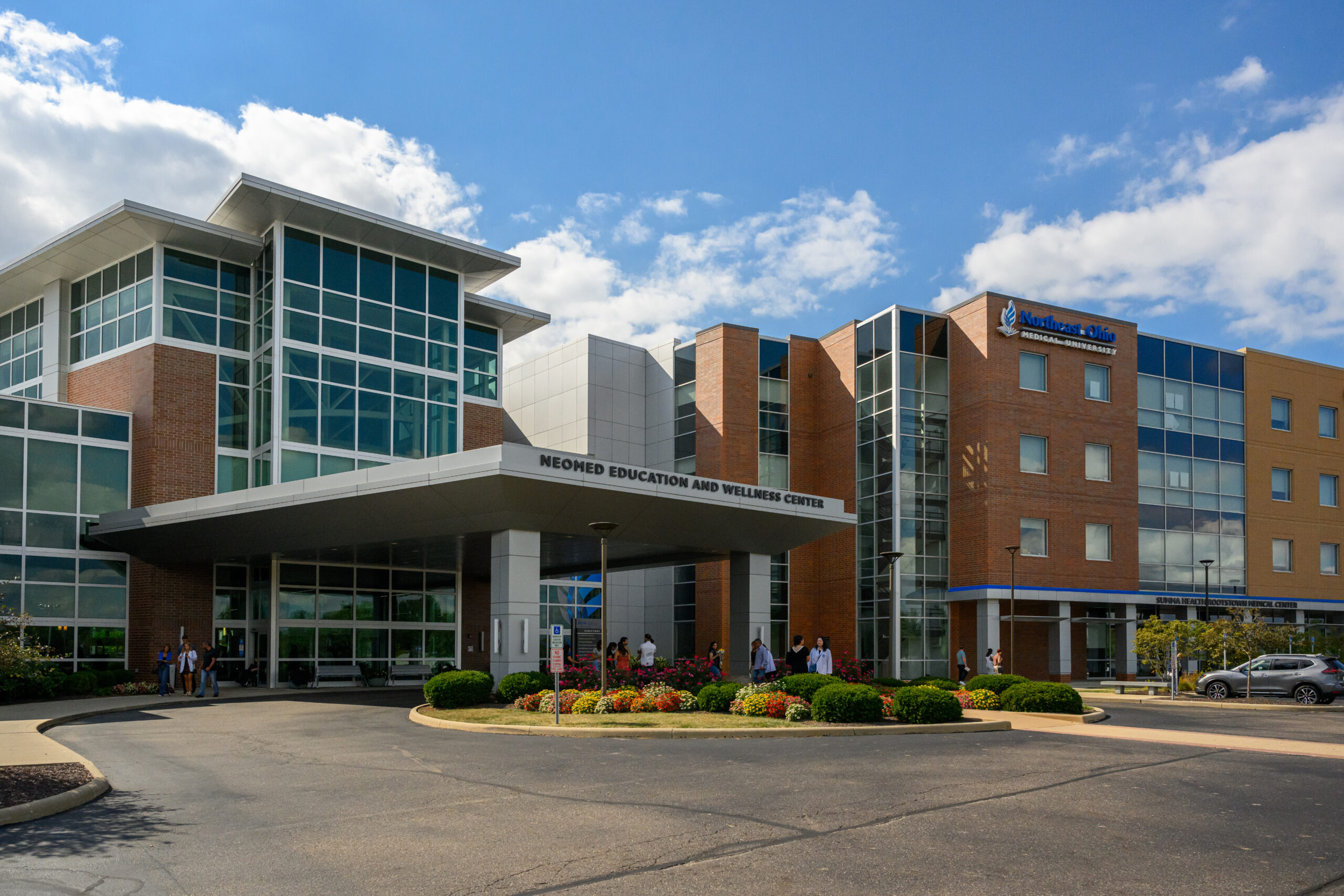
Breakfast with Santa returns Saturday, Dec. 5! Enjoy a festive morning with Santa, a delicious breakfast, holiday treats, photos, and family fun. Reserve your spot today!
$30 – Adult Tickets
$15 – Children Ages 3-12
$0 – Children Ages 0-2
Ready to get your tickets? Check out the images below for simple, step-by-step instructions! This year, we are using our ChowIt website so you can purchase tickets without paying extra customer service fees! Plus – if you use your ChowIt funds to purchase tickets, you build reward points that could go towards future purchases at the Bistro or Coffee Shop!
We hope to see you there!

HOW TO PURCHASE TICKETS
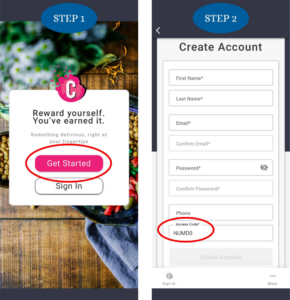
Step 1: Click the link or download on the app store. Select “Get Started” or “Sign In”, if you have an existing account, to begin.
Step 2: If you’re a new user, create an account and use “NUMD0” as your access code. Once you have your account created, log in.
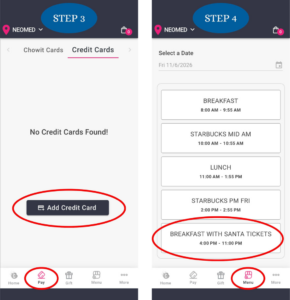
Step 3: You can add payment by clicking the “Pay” tab on the bottom of the screen. Click “Add Credit Card”. The Chowit Card is also there, if you prefer. You will not be charged at this step, this will just save your information.
Step 4: Click the “Menu” tab on the bottom of the screen. Select “BREAKFAST WITH SANTA TICKETS.”
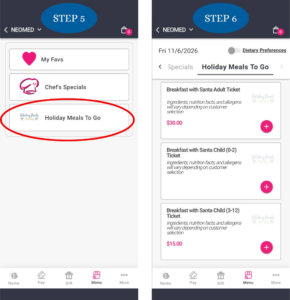
Step 5: Click “Holiday Meals To Go”.
Step 6: You can now add your tickets to your cart. There are three options – Adult, Child (0-2), or Child (3-12).
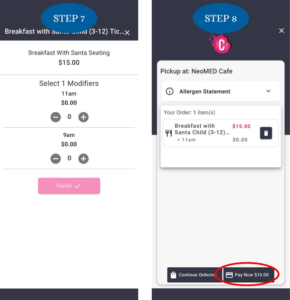
Step 7: There will be a pop-up selection with seating times (9AM or 11AM). Select your desired option and click “Finish.”
Step 8: Once you have added all your tickets to your cart, you can select the bag logo. If everything looks correct, you can click “Pay Now.”
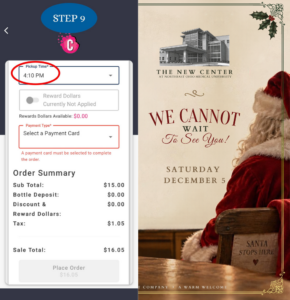
Step 9: Per requirement, you must select a pickup time. You may choose any time. This has no effect on the order. Once you’re ready, you can “Place Order.”